How to Clip Livestream Highlights Into Shorts
Learn how to clip highlights from a livestream and turn long Twitch, YouTube Live, and TikTok Live VODs into vertical Shorts, Reels, and TikToks fast.

To clip highlights from a livestream, you pull the 20-to-60-second moments where something actually happens — a clutch win, a genuine laugh, a reveal, a hot take — and cut them into vertical clips for Shorts, Reels, and TikTok. The reliable way to do it at volume is a two-pass method: let an AI make a rough first pass across the entire stream, then you hand-trim the keepers. This guide walks through that process across Twitch, YouTube Live, and TikTok Live, with honest time budgets so you know what you're signing up for. A single three-hour stream usually hides 10 to 20 postable clips. Finding them by scrubbing manually can eat 3 to 6 hours; an AI-assisted first pass gets you to the same shortlist in under 30 minutes.
If you go live regularly and you're not repurposing the footage, you're leaving your best content on the table. Live is where the unscripted, share-worthy moments happen — but nobody wants to sit through a three-hour VOD to find them. The whole game is locating those moments cheaply and cutting them fast enough to post while they're still relevant.
Key Takeaways
Why livestream footage is the hardest source to clip
Livestream VODs are a different beast from a scripted upload. Three things make them awkward:
Accept these constraints up front and your workflow gets simpler. You are not editing a video; you are mining one.
Where the highlights actually hide
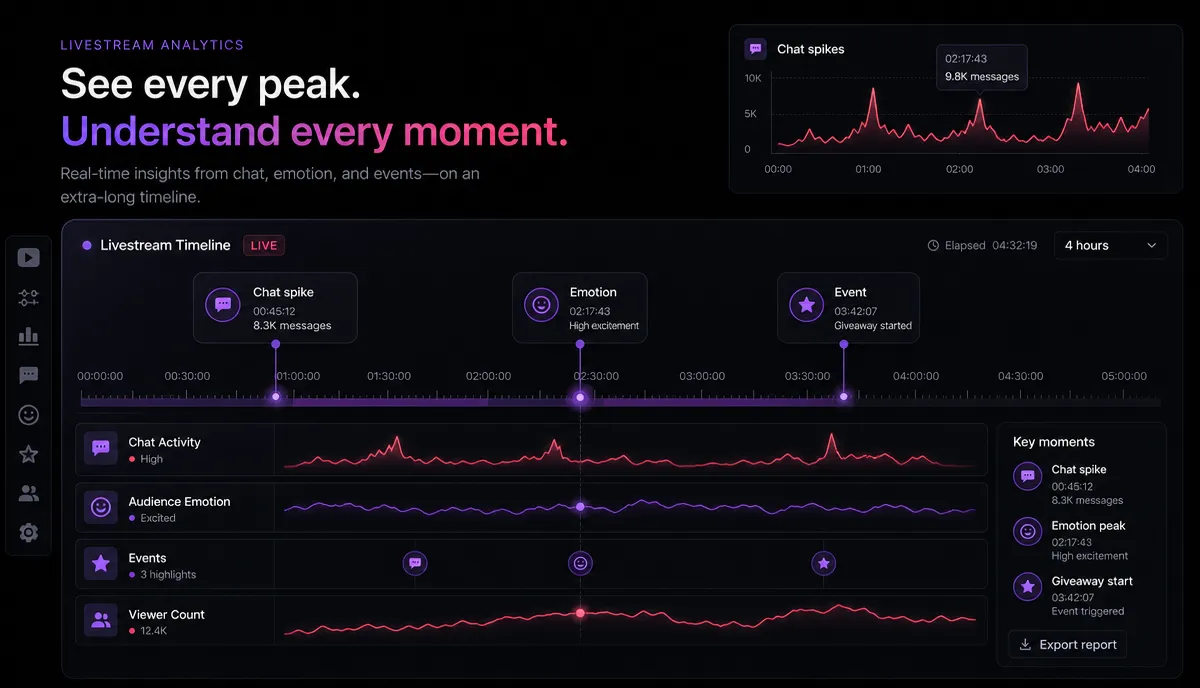
Before you cut anything, build a rough map of where the good moments are. You have three reliable signals, and the fastest editors use all three together.
| Signal | What it tells you | How to find it fast |
| Chat peaks | The audience reacted to something | Scan for spikes in chat volume, spam emotes, or a wall of the same message |
| Emotion points | You (or a guest) reacted | Listen for laughter, a raised voice, a long pause, a "wait, what?" |
| Event points | Something concrete happened | A win/loss, a reveal, a purchase, a jump-scare, a number hitting a milestone |
Chat is your cheapest signal because it's timestamped and visible. If your streaming platform lets you replay chat alongside the VOD, scrub to the moments where the chat wall lights up — the audience already did your highlight-hunting for you. Emotion and event points fill in the clips that chat missed, usually the ones with the strongest hooks.
Write these down as rough timestamps in a notes doc. Even a loose list like "0:14:30 clutch, 1:02:10 chat lost it, 2:41:00 the reveal" turns a three-hour scrub into a targeted grab. This map is also what you'll check the AI's suggestions against later.
The two-pass workflow: AI first pass, human trim
Here's the core method that makes this sustainable. Don't try to find and cut every clip by hand — that's the 3-to-6-hour trap. Instead:
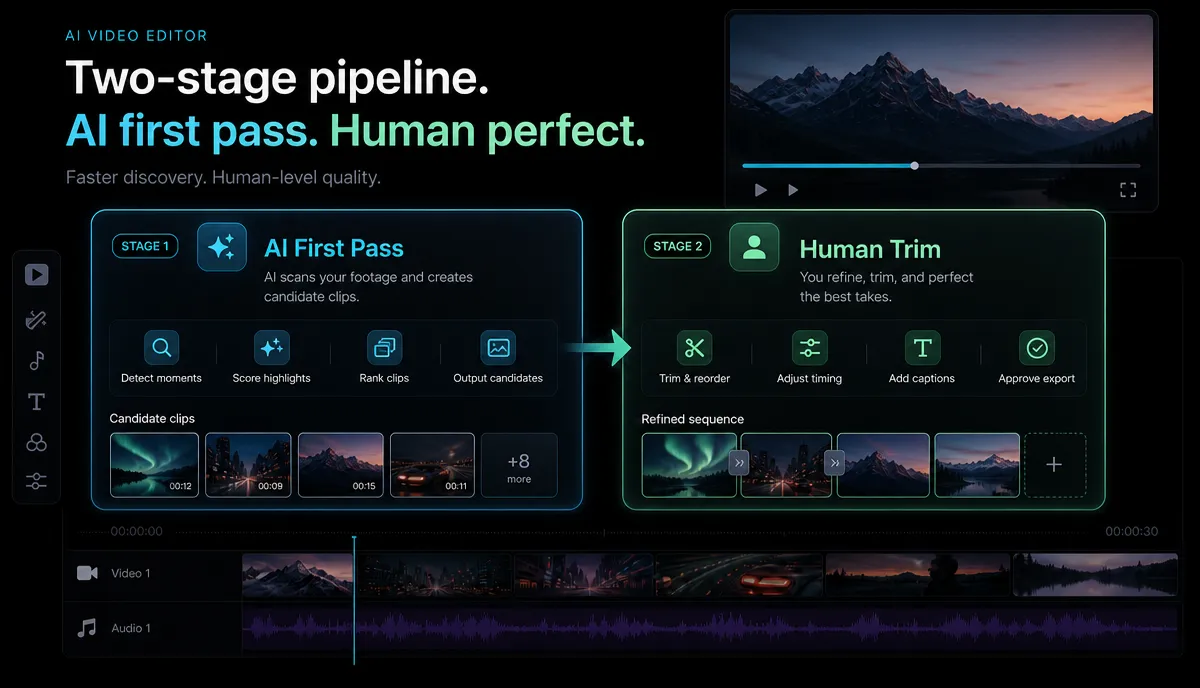
Pass one (machine): Feed the whole VOD to an AI that scans the audio and transcript and proposes candidate clips with in/out points. This is a wide net. It will surface obvious talk-heavy moments and miss some visual ones, but it collapses hours of scrubbing into a review queue.
Pass two (human): You review the candidates against your highlight map, keep the real ones, kill the filler, and fix the edges. This is where your judgment lives — the AI is fast but literal; you know which moment actually lands.
The reason this works is that reviewing is far cheaper than finding. Rejecting a bad suggested clip takes two seconds. Discovering a good clip from scratch takes minutes of scrubbing. Let the machine do the finding and spend your attention on the trimming.
| Approach | Clips from a ~3-hr stream | Hands-on time |
| Fully manual scrubbing | 10–20 | 3–6 hours |
| AI first pass + human trim | 10–20 | Under 30 minutes |
The output quality is comparable; the time difference is the whole point.
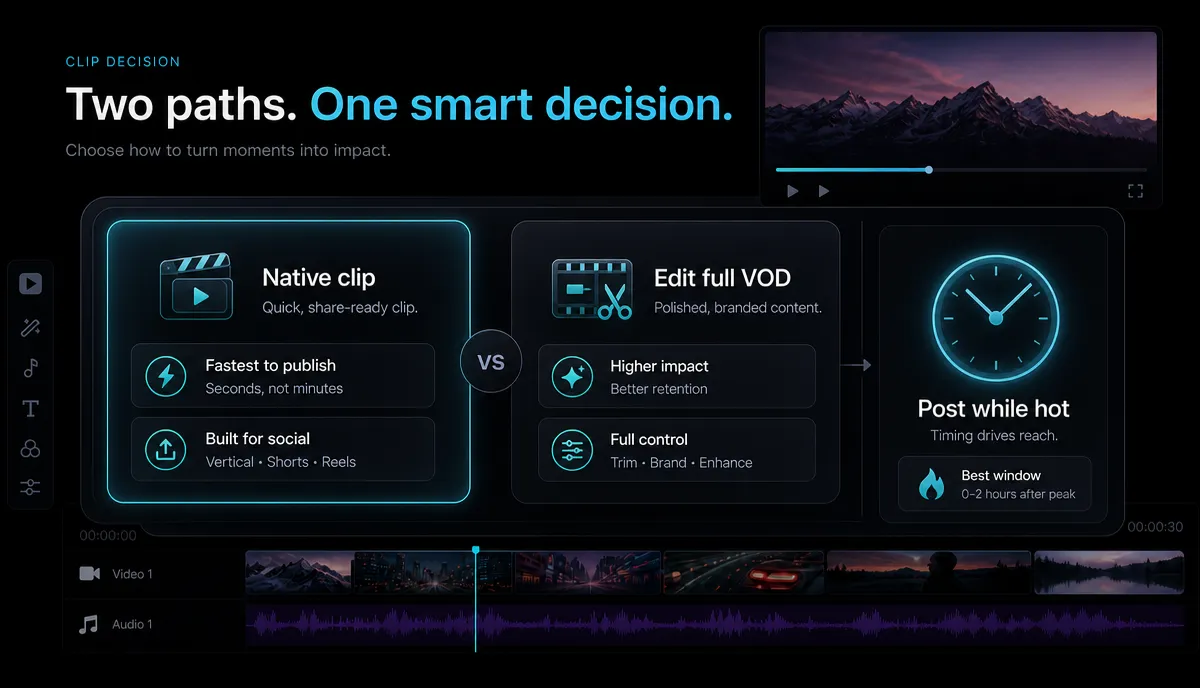
Native platform clips vs. editing the full VOD
You have two broad routes, and they're not mutually exclusive — the best setup uses both.
| Native clip tools | Editing the full VOD | |
| Where | Twitch/YouTube "clip" button, live or on the VOD | An editor working from the downloaded file |
| Best for | Grabbing a moment the instant it happens | Batch-producing many polished verticals later |
| Speed | Seconds per clip | Minutes per clip, but scalable in bulk |
| Vertical reframe | Usually not built in | Yes, you control framing and captions |
| Ceiling | Rough, horizontal, minimal | Publish-ready Shorts and Reels |
Use native clips in the moment. When something pops off mid-stream, hit the platform's clip button (or have a mod do it). It costs nothing and preserves the timestamp so you don't lose the moment. Think of these as bookmarks, not finished posts.
Use a real editor for the batch. After the stream, download the VOD and run it through the two-pass workflow to produce clean vertical clips at volume. The native clip is your safety net; the VOD edit is your production line.
For a deeper look at the general long-to-short process, see how to make YouTube Shorts from long videos — livestreams are just the extreme version of a long source.
Step-by-step: turn a 3-hour stream into 10–20 clips
Here's the end-to-end flow, assuming you've already got your VOD and a rough highlight map.
- Export or download the VOD. Grab the full recording as MP4 or MOV. A single session usually fits inside a 6GB task; if your stream ran long, export in two halves rather than fighting one oversized file.
- Run the AI first pass. Upload the file to an AI clip generator and let it scan the transcript and audio for candidate moments. This is your review queue.
- Review against your map. Open the candidates next to your timestamp notes. Keep anything that matches a chat peak, emotion point, or event point. Delete filler, dead air, and half-moments. If the AI missed a visual highlight you flagged, cut that one manually.
- Pull anything the first pass missed. For long, meandering sections the AI under-clips, use a long video to short video pass to slice specific stretches into candidates you can trim down.
- Reframe to vertical. Convert each keeper from 16:9 to 9:16 and reposition the subject so your face or the action stays centered — not the chat box that was sitting in the corner. If you want the mechanics, how to make a video vertical covers the framing rules.
- Caption everything. Auto-transcribe and burn in captions. Most Shorts and Reels are watched on mute, and livestream audio is often messy, so captions are non-negotiable for retention.
- Rewrite the hook, add a cover, export. Cut the first three seconds to start on the payoff, write a scroll-stopping opening line, add a cover frame, and export the vertical file ready to post.
Two or three tools, one pass each, and a three-hour stream becomes a week's worth of short-form.
Rewriting hooks so the clips actually travel
This is the step most streamers skip, and it's the one that decides whether a clip gets 200 views or 20,000. A moment that was hilarious in context — after two hours of buildup — often lands flat when a stranger sees it cold. The clip has to work for someone with zero prior knowledge.
Fix that in two places:
Draft three opening lines for each clip in a batch. Try a specific question or a surprising result or a contrast. Choose the line supported by the footage. For the underlying principles — pattern interrupts, open loops, specificity — read how to write video hooks.
Timing: post highlights while they're still hot
Livestream clips have a shelf life that regular uploads don't. A reaction to a game update, a collab moment, or a topical take decays fast. Build your posting around that.
A practical rhythm: cut one or two same-day clips right after the stream while the moment is fresh, then batch the rest into a backlog you release over the following week.
FAQ
How do I clip highlights from a livestream if I didn't clip anything live? You don't need to have clipped in the moment. Download the full VOD after the stream, run it through an AI first pass to surface candidate moments, then trim the keepers by hand. The recording holds everything — chat replay, audio, and video — so you can reconstruct every highlight after the fact.
How long should a livestream highlight clip be? Most highlights work best between 15 and 40 seconds. The moment itself is usually only a few seconds; the rest is the minimum setup a stranger needs to understand it. If a clip runs past a minute, it's probably carrying dead air from the stream — trim harder.
Can I turn one livestream into clips for both TikTok and YouTube Shorts? Yes. Once you've cut a vertical 9:16 clip with captions, the same file posts to TikTok, YouTube Shorts, and Instagram Reels. Consider tweaking the opening text or caption style per platform, but the core edit is reusable across all three.
Do I need the original streaming software to make clips? No. Any editor that accepts your exported video file works. You just need the VOD as a standard file like MP4 or MOV. Recapo runs in the browser with no install and accepts common formats up to 6GB per task, which covers most single-session recordings.
Why does the AI miss some of my best moments? An AI first pass leans on audio and transcript signals, so it reliably catches talk-heavy and reaction moments but can under-clip purely visual ones — a silent play, a facial expression, a background event. That's exactly why the second, human pass exists: check the suggestions against your own highlight map and cut the visual moments the machine skipped.
Start clipping your next stream
Your last stream almost certainly has 10 to 20 clips sitting in it right now. The barrier was never the footage — it was the hours of scrubbing. A two-pass workflow removes that barrier: let an AI surface the candidates, then bring your judgment to the trim. Upload your latest VOD, build your highlight map, and turn one long stream into a week of short-form. Create a free Recapo account and clip your first stream today.