
YouTube Keyword Research for Creators (Practical Guide)
Learn how to do YouTube keyword research with a free, tool-agnostic workflow for small channels — from seed keyword to a published title, with a worked example.

YouTube keyword research is the process of finding the exact phrases people type into YouTube search, then choosing the ones your channel can realistically win. Do it well and you make videos with built-in demand instead of guessing at topics and hoping. This guide walks through a tool-agnostic, zero-budget workflow you can run on a brand-new channel — no paid subscription, no existing analytics required — plus a full worked example from a single seed keyword to a finished title, and an honest note on when free methods stop being enough.
Most guides on how to do YouTube keyword research are written by a tool vendor pitching its own dashboard, and almost all assume you already have paid software and months of channel data. That's not where most creators start. So the emphasis here is on the free methods first — autocomplete, YouTube Studio's Research tab, Google Trends, and reading the results with your own eyes — and only reaching for paid tools once you've hit a real ceiling.
Key Takeaways
What "keyword research" actually means on YouTube
YouTube is a search engine, not just a feed. When someone wants to learn, decide, or get an idea, they type a phrase into the search bar, and YouTube returns the videos it thinks best match that phrase and will hold attention. Keyword research is simply the work of matching your supply (the video you're about to make) to that demand (what people are actually searching).
Here's the part that trips up newcomers: on YouTube a keyword is only worth chasing if you can win two things, not one.
| Half of the equation | The question it answers | How you check it for free |
|---|---|---|
| Demand | Are enough people searching this? | Autocomplete, Studio Research tab, Google Trends |
| Competition | Can my channel realistically show up? | Read the results page and the top titles |
A phrase with big demand and brutal competition is a trap for a small channel — you'll pour effort into a video that never surfaces. A phrase with modest demand but weak competition is often the smarter first target. Keyword research is the discipline of telling those two apart before you hit record.
The three layers of search intent
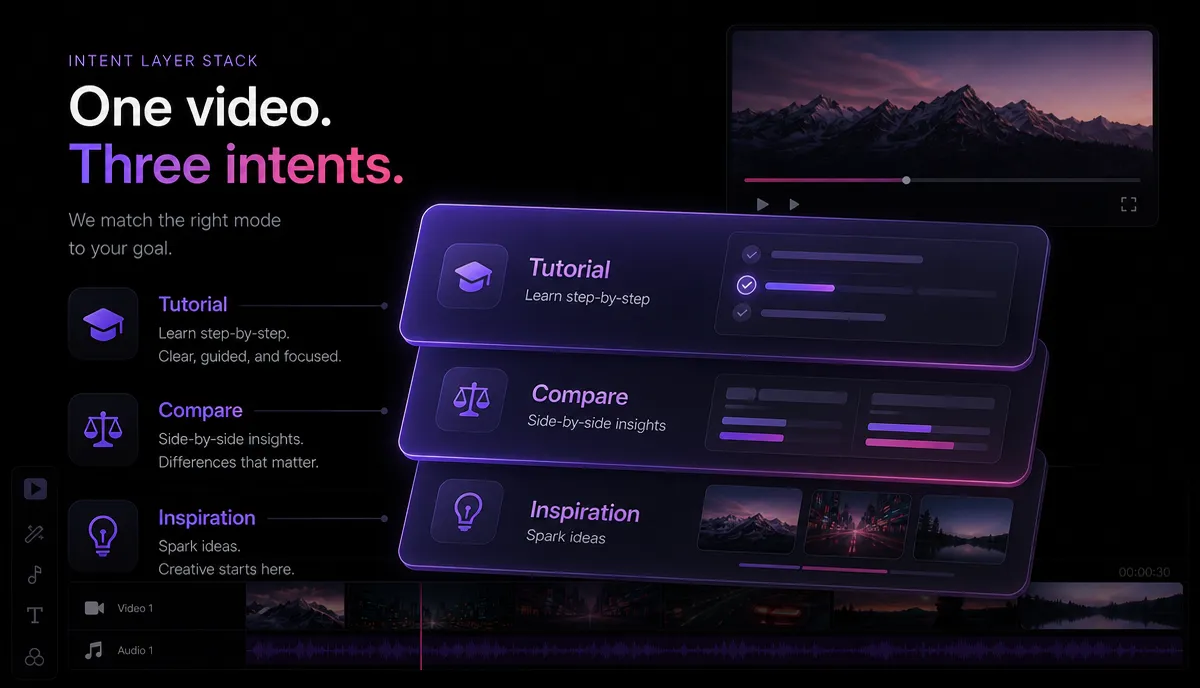
Not every search wants the same kind of video. Before you chase any phrase, sort it into one of three intent layers, because the intent dictates the format, the title, and the thumbnail.
| Intent layer | What the searcher wants | Example query shape | Best video format |
|---|---|---|---|
| Tutorial / how-to | A step-by-step answer, right now | "how to …", "… tutorial", "… step by step" | Screen recording or talking-head walkthrough |
| Comparison / decision | Help choosing between options | "… vs …", "best …", "… alternatives", "… review" | Side-by-side breakdown, ranked list |
| Inspiration / discovery | Ideas, examples, "show me what's possible" | "… ideas", "… examples", "types of …" | Montage, listicle, curated examples |
The takeaway: match the format to the layer. If someone searches a tutorial phrase and your top result is a three-minute inspiration montage, the click-through and watch time will both sag, and YouTube will stop showing your video for that phrase. Getting intent right is half of keyword research; the phrase itself is the other half.
Step 1: Build a seed list before you touch any tool
Every workflow starts with seeds — the plain-language topics your channel is about. Don't overthink this. Open a notes doc and list 10 to 20 short phrases a real viewer might type. Pull them from three places:
- Your niche's core nouns — e.g., "faceless channel", "movie recap", "podcast clips".
- The sub-jobs inside your niche — e.g., "add captions", "vertical video", "AI voiceover".
- Questions your audience already asks — from comments, DMs, or communities you belong to.
These seeds are inputs, not final keywords. In the next steps you'll expand each one into dozens of real search phrases and then filter hard.
Step 2: The zero-budget research workflow
This is the core of free YouTube keyword research. Run every seed through these five passes, in order. It costs nothing and works on a channel with zero subscribers.
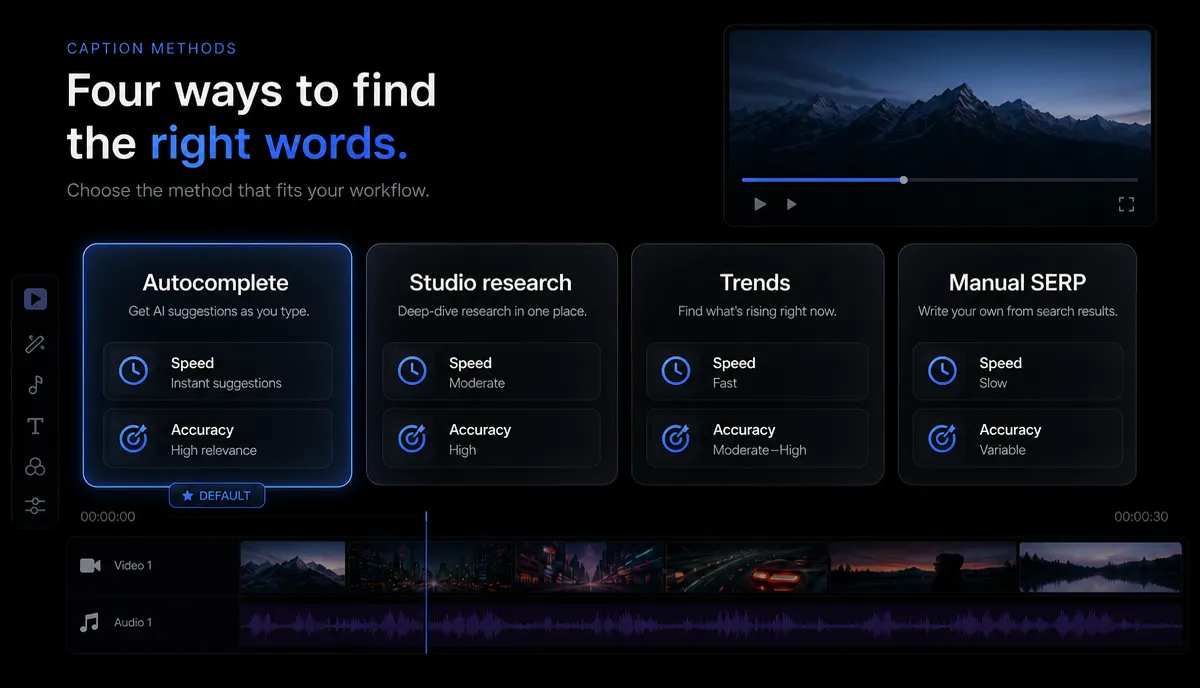
1. Mine YouTube autocomplete. Type a seed into the YouTube search bar and read the suggestions that drop down — those are real phrases people search, ranked by YouTube itself. Then add a letter: type your seed followed by "a", then "b", then "c", and so on, and jot down every new suggestion. Also try question stems: "how to [seed]", "why [seed]", "best [seed] for". This one trick surfaces more genuine long-tail keywords than most beginners will ever use.
2. Use the YouTube Studio Research tab. If you have any channel at all, open YouTube Studio → Analytics → Research. You can search phrases and see relative interest, and — critically — the "Searches across YouTube" view shows what your own viewers and the wider audience are looking for. It's the closest thing to first-party demand data that costs nothing.
3. Check direction with Google Trends. Go to Google Trends, enter a phrase, and switch the search-type filter from "Web Search" to "YouTube Search". You won't get raw volume, but you'll see whether interest is rising, flat, or fading, and how two phrases compare against each other. Pick the rising or steady one over the fading one every time.
4. Read the results page (your free competition check). Search your candidate phrase on YouTube and study the top 5–8 results like a scout. Ask: Are these all giant channels, or are there small channels mixed in? Are the videos fresh or years old? Do the titles actually match the phrase, or did YouTube stretch to fill the page? A results page full of small channels, stale uploads, or loosely-matched titles is an opening for you.
5. Scan the comments. Open the top two or three videos and read the top comments — the most underrated free keyword source on the platform. You'll find the exact language your audience uses, the questions the video didn't answer, and follow-up topics, each one a fresh seed.
When you want to expand a promising seed into a longer list fast, run it through an AI YouTube keyword tool to generate related phrases and question variations in one pass, then take those candidates back through passes 3 and 4 to judge demand direction and competition. The tool widens the funnel; your own eyes on the results page still make the final call.
Step 3: Score every idea with a simple grid
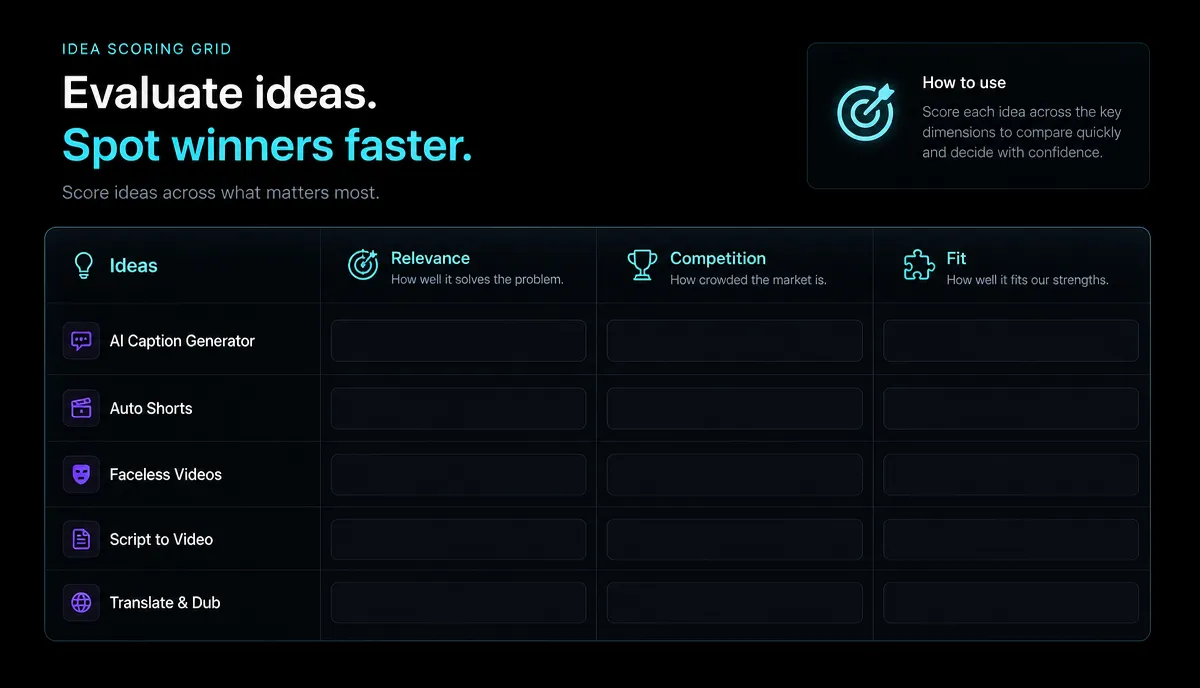
Once you have a shortlist, stop collecting and start filtering. Score each candidate keyword from 1 (weak) to 3 (strong) on five factors, then add them up. Anything scoring 12 or higher is usually worth making; below 9, drop it or park it.
| Factor | 1 point | 2 points | 3 points |
|---|---|---|---|
| Demand direction | Fading in Trends | Flat | Clearly rising |
| Competition | All big, fresh channels | Mixed | Small channels or stale results rank |
| Relevance to my channel | Tangential | Related | Dead-center of my niche |
| Can I make it genuinely well? | Out of my depth | Doable | I have real expertise or footage |
| Click + hook potential | Hard to make catchy | Okay | Obvious strong angle |
The two rows people underrate are the last ones. A high-demand, low-competition keyword you can't execute well, or can't make clickable, is not a good keyword for you. Honesty here saves you from making videos that technically target a phrase but never earn the click or hold the viewer.
Step 4: A worked example, seed to published title
Let's run one seed all the way through so the workflow is concrete. Say your channel is about faceless content, and your seed is "faceless youtube channel".
Scoring "faceless youtube channel ideas": demand rising (3), competition mixed-to-weak (2), dead-center relevance (3), very doable (3), strong angle (3) = 14. That's a make.
Now translate the keyword into a title that leads with the phrase and adds a specific angle. If you want to spin several options quickly and pick the strongest, run the keyword through an AI YouTube title generator, then refine the winner by hand. A finished title might be:
12 Faceless YouTube Channel Ideas You Can Start This Weekend (No Camera)
It leads with the searched phrase, promises a specific count, and kills the biggest objection ("no camera") right in the title. For the deeper craft of writing titles that earn the click, see our guide on how to write YouTube titles and descriptions, and if you're hunting for more topic angles, our list of YouTube Shorts ideas pairs well with the seed-mining approach above.
Step 5: Turn the keyword into a title, description, and the actual video
A keyword only pays off when it lives in three places on the finished upload:
- The title — the phrase near the front, plus a specific promise (see the example above).
- The description — the phrase in the first line or two, then a genuinely useful summary of what the video covers. To draft a clean, keyword-aware description without staring at a blank box, start from an AI YouTube description generator and edit it into your own voice.
- The video itself — the phrase spoken early, and the content genuinely matching the intent layer you sorted it into.
That last point matters most. Keyword research earns the click; the video earns the watch time that tells YouTube to keep serving it — so production speed is what lets you actually ship the ideas your research surfaces. Recapo is a browser-based AI video editing workspace — no install — where you can transcribe and caption a talking-head or screen recording, cut a long recording into tight short clips, add an AI voiceover, and reframe to vertical for Shorts, then export. If your research points you toward a Shorts-first keyword, the same long recording can feed several clips; our walkthrough on how to make YouTube Shorts from long videos shows the flow. It accepts MP4, MOV and other common formats, up to 6GB per task.
When free methods stop being enough
Free YouTube keyword research is powerful, but be honest about its ceiling. Here's where it runs out of road:
At that point, paid keyword tools that estimate volume and competition scores can be worth it — but treat them as an upgrade you graduate into after the free workflow has proven your channel can rank, not as the starting line. Plenty of channels grow a long way on autocomplete, the Research tab, and a careful eye on the results page alone.
FAQ
Do I need a channel to do YouTube keyword research? No. Autocomplete, Google Trends' YouTube filter, and reading the results page all work with zero subscribers. The YouTube Studio Research tab needs a channel, but everything else in this workflow is available to anyone before their first upload.
Are free YouTube keyword research tools good enough? For most small and mid channels, yes. YouTube's own autocomplete and Research tab are first-party signals, and reading the results page is a competition check no tool fully replaces. Paid tools mainly add volume estimates and speed, which matter once you're scaling or fighting in a crowded niche.
How do I find low-competition keywords? Search your candidate phrase and study the top results. If small channels rank, uploads are old, or the titles don't cleanly match the phrase, competition is beatable. Long-tail phrases (three or more words, often question-shaped) from autocomplete tend to be less contested than short head terms.
How many keywords should one video target? Focus each video on one primary keyword and its intent, then work a couple of closely related phrases naturally into the title, description, and spoken content. Don't stuff unrelated keywords in — YouTube ranks on relevance and watch time, and a scattered video wins neither.
What's the difference between YouTube and Google keyword research? Overlap exists, but intent and format differ. Google searchers often want a quick text answer; YouTube searchers want to watch something. Always validate demand inside YouTube — via autocomplete, the Research tab, or Trends set to "YouTube Search" — rather than trusting web-search data alone.
Keyword research points you at videos with real, built-in demand — the next move is shipping them fast enough to build momentum. Do the seed mining, sort by intent, score honestly, and let your titles and descriptions carry the phrase. When you're ready to produce the video, create a free Recapo account and turn your researched topic into a captioned, clip-ready upload in the browser.


