The Best Clip Length for Shorts, Reels & TikTok
How long should YouTube Shorts be? Get the best clip length for Shorts, Reels & TikTok by platform and content type, plus how to read your own retention graph.

How long should a YouTube Short be? The practical answer is: long enough to deliver one clear idea and not a second longer. For most Shorts that means somewhere in the 15–60 second range, even though YouTube now lets you upload Shorts up to three minutes. Reels and TikTok behave similarly but not identically, and the "best" number shifts with your content type, your hook, and — most of all — how long people actually keep watching. This guide reconciles the conflicting advice you'll find elsewhere, gives you a per-platform, per-content-type reference, and teaches you to read your own retention graph so you stop guessing.
If you only remember one thing: chase completion and rewatches, not a magic duration. A tight 22-second clip that people finish will beat a padded 55-second one they abandon at second 12 — every single time.
Key Takeaways
- Short-form editing starts with one clear idea, one hook, and one payoff, not with a fixed duration.
- Vertical exports need 9:16 framing, readable captions, and phone-safe placement.
- Use retention and platform rules to decide length; do not pad a clip just because longer uploads are allowed.
- Recapo should be positioned as the workflow layer for finding, captioning, reframing, and exporting reusable clips.
Why every "ideal length" guide disagrees
Search "best Shorts length" and you'll get a dozen confident, contradictory answers. One study says 15–30 seconds. Another says the winners are bimodal — either under 20 seconds or close to a full minute — with a dead zone in the middle. A third insists longer is better now that three-minute Shorts exist. They can't all be right, so what's going on?
Three reasons the data conflicts:
- Different samples. A dataset of dance clips will "prove" short is better; a dataset of tutorials will "prove" longer wins. Neither generalizes to your niche.
- Different metrics. Some posts optimize for views, others for watch time, others for followers gained. Those goals pull length in opposite directions.
- Platforms keep moving. Maximum lengths, feed algorithms, and even how "a view" is counted change over time. A study from two years ago is measuring a platform that no longer exists.
The takeaway isn't "ignore all data." It's that duration is an output of good pacing, not an input you can set and win. Use the ranges below as starting points, then let your own numbers correct you.
Length and retention: what actually matters
Retention — the percentage of your video people are still watching at each moment — is the metric every short-form algorithm cares about most, alongside rewatches and shares. Length matters only through its effect on retention.
Here's the qualitative relationship every creator should internalize:
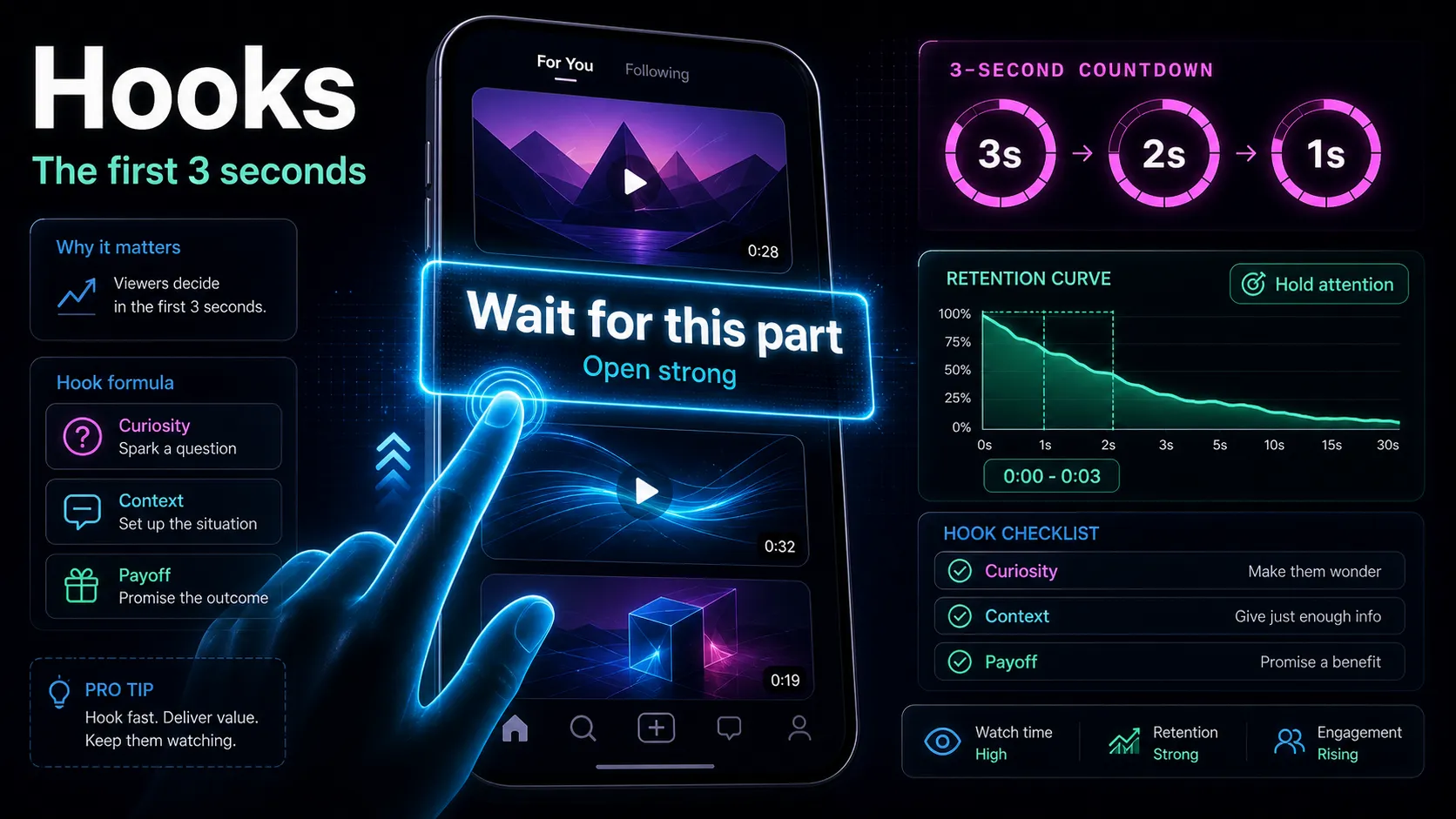
- The first 1–3 seconds decide everything. If your hook doesn't stop the scroll, length is irrelevant. Weak hook, short video, still zero.
- Every added second is a new chance to lose the viewer. Longer clips can earn more total watch time, but only if every second pays its way. Padding lowers your average-view-duration percentage, which is the signal platforms read.
- Completion and loops are gold. Short clips that people watch to the end — and re-loop — send the strongest "show this to more people" signal. This is why very short videos punch above their weight.
- Depth can justify length. A genuinely useful 60-second tutorial that holds attention will outperform a shallow 15-second one. Long isn't bad; empty long is bad.
So the real question isn't "what length wins" — it's "what's the shortest version of this idea that still delivers it fully?"
Platform sweet spots at a glance
The table below is a practitioner's starting point, not a rule. Always confirm current maximums and specs against each platform's own official help pages — limits change, and the platform's word is final.
| Platform Common sweet spot Hard cap (check official) What the format rewards |
| YouTube Shorts | ~20–45s for most; up to ~60s for tutorials | Up to 3 minutes (confirm on YouTube's official Shorts help page) | Strong hook + payoff; searchable topics |
| Instagram Reels | ~15–30s for reach; longer for storytelling | Check Instagram's official Reels specs | Rewatches, shares, saves |
| TikTok | ~21–34s often cited; test both shorter and near-60s | Check TikTok's official specs | Comments, completion, loops |
Read that table as "where to start testing," not "where to stop thinking." The sweet spots overlap for a reason: short-form audiences across all three platforms share the same impatience. Where they differ is intent — YouTube viewers tolerate a bit more teaching, Reels favors a quick emotional payoff, and TikTok rewards clips that spark comments and loops.
Note the honest caveat: any specific second-count you read (including mine) is a heuristic. The maximum lengths and technical specs are the platform's to define, so treat their official documentation as the source of truth.
The 3-minute Shorts change (and the music catch)
YouTube raised the maximum Shorts length to three minutes, which changed the math for anyone repurposing long videos. Longer Shorts open the door to mini-tutorials, multi-step recipes, and short recap segments that used to get cut. But three caveats keep most creators from simply making everything longer:
- Longer ≠ better by default. A three-minute Short still has to hold attention the whole way. If your idea fits in 30 seconds, padding it to fit the new ceiling will hurt retention.
- Music and Content-ID. Very long Shorts that lean on licensed music can run into Content-ID and usage limits differently than a quick clip does. If you rely on trending audio, confirm what's allowed for your video's length in the platform's official music and licensing terms before you build a whole strategy on it.
- The cap is the platform's to move. Three minutes is current guidance, not a permanent law. Verify the maximum on YouTube's official Shorts help page whenever you plan a longer format.
Practical rule: let the content decide length, then check it fits under the current cap — never stretch content just because a bigger ceiling exists.
Match length to content type
Content type predicts ideal length far better than platform does. Use this grid as a default and adjust from your retention data.
| Content type Suggested starting length Why |
| Hook-driven / trend / meme | 7–15s | One punchline; loops boost it |
| Talking-head tip / hot take | 20–35s | Time to make one point, no filler |
| Tutorial / how-to | 40–60s+ | Steps need room; depth holds attention |
| Story / narrative | 30–60s | Setup, tension, payoff arc |
| Movie or podcast clip | 20–45s | One quotable moment, tightly cut |
| Listicle ("3 ways to…") | 30–50s | One beat per item, fast cuts |
A few honest notes on this grid. Tutorials are the main reason to go longer — depth is the payoff, and viewers who want the answer will stay. Trend clips are the main reason to go very short — they live and die on the loop. Everything else lives in the messy middle, which is exactly where you should test two cuts of the same idea against each other.
How to read your own retention graph
Every platform gives you a retention (or average-view-duration) curve in analytics. It's the single best length coach you have. Here's how to read it:
- Find the first cliff. A sharp drop in the opening seconds means your hook or intro is too slow. Cutting the first two seconds often does more than any length change.
- Look for the plateau. If retention flattens and holds, viewers are engaged — that section earns its length.
- Spot the slow bleed. A steady downward slope with no payoff means you're padding. That's your signal to cut.
- Watch for the 100%+ line. On looping platforms, retention above 100% means people rewatched. Short clips that loop are doing exactly what the algorithm wants.
- Compare across your own videos, not against strangers. Your niche and audience are the only fair benchmark. Two of your own clips at different lengths tell you more than any external study.
Do this for ten of your own videos and you'll learn your channel's real sweet spot — which may not match any table, including this one.
When stretching a clip backfires
The most common length mistake isn't going too short — it's padding a clip to hit a number someone told you was "ideal." Some concrete ways this backfires:
- Slow intros. Adding a five-second logo or "hey guys, welcome back" to a Short is a retention killer. Front-load the payoff instead.
- Dead air between beats. Pauses that feel natural on camera feel endless in a feed. Tighten every gap.
- Padding to reach three minutes. A 40-second idea stretched to fit the new Shorts ceiling almost always loses the middle of the audience.
- One clip, one idea — violated. Cramming two ideas into one longer clip usually means neither lands. Split it into two posts instead.
Counter-example in practice: take a 12-minute podcast segment. The instinct is to post a 90-second "highlight." The version that actually performs is usually a 25–35 second cut built around the single most quotable line, with the hook rewritten to front-load the payoff. Shorter, sharper, and it loops.
How to hit the right length without over-cutting
You don't need to trim frame-by-frame to land the right length. A repeatable workflow beats guessing:
- Start from the moment, not the clock. Identify the single idea or quote. That moment's natural length is your target — before you think about platform caps.
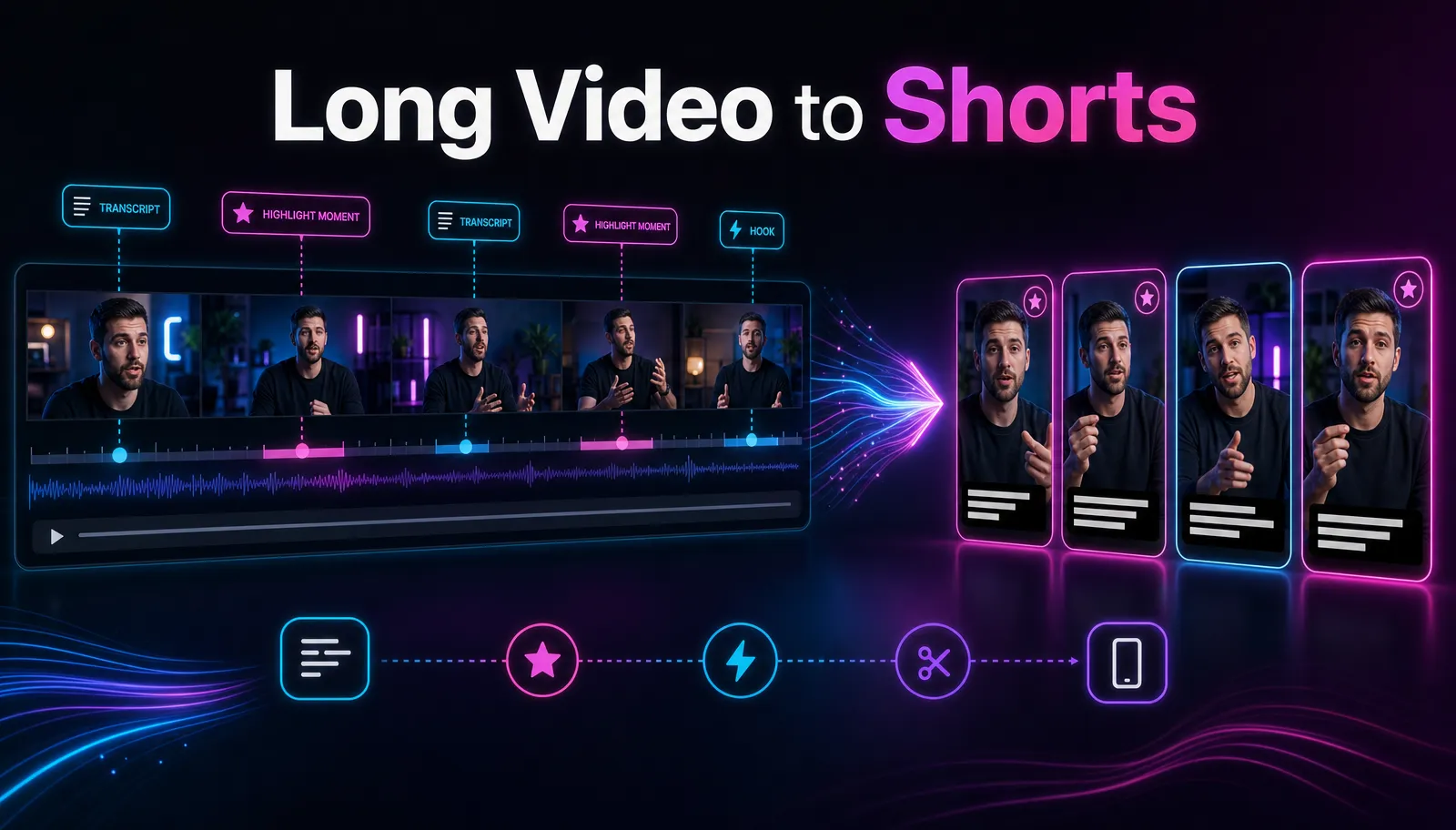
- Let AI find the candidates. Feed a long video into an AI clip generator to surface the strongest self-contained moments, then judge each against the content-type grid above.
- Cut long-to-short in one pass. Turn a full episode into platform-ready verticals with a long-video-to-short-video tool, which handles the reframing and captions so you can focus on where each clip starts and ends.
- Test two lengths of the same idea. Post a tight version and a slightly longer one a few days apart. Let retention pick the winner.
- Rewrite the hook to match the length. A shorter cut needs a faster hook. If you're unsure how, see how to write video hooks and apply it before you finalize the cut.
- Repurpose systematically. Once you know your sweet spot, batch it. Our guide to making Shorts from long videos walks through turning one upload into a week of clips.
Because Recapo runs in the browser with no install, you can go from a long MP4 or MOV (up to 6GB per task) to captioned vertical clips, add AI voiceover, and export — all in one workspace — then A/B two lengths without re-uploading your source.
FAQ
How long should a YouTube Short be in 2026? For most content, a Short that lands one idea in roughly 20–45 seconds performs well, while tutorials can justify up to about a minute or more. YouTube allows Shorts up to three minutes, but longer only wins when every second holds attention. Confirm the current maximum on YouTube's official Shorts help page, since caps change.
Is 15 seconds too short for a Short or Reel? Not at all. Very short clips that people finish and re-loop send a strong signal to the algorithm. Fifteen seconds is ideal for hook-driven, trend, or single-punchline content. It's too short only when your idea genuinely needs more room to land.
What's the best clip length for TikTok and Reels specifically? A common starting range is about 21–34 seconds on TikTok and 15–30 seconds on Reels, but both platforms reward completion and rewatches over any fixed number. Test a shorter and a longer cut of the same idea and let your retention graph decide. Always check each platform's official specs for current limits.
Does making my Shorts longer get more views now that three minutes is allowed? Only if the extra length holds attention. The three-minute ceiling helps genuinely deep content — tutorials, multi-step demos, recaps — but padding a short idea to fill it usually lowers retention and reach. Let the content decide the length, not the ceiling.
How do I know my own ideal length? Read your retention graph across ten of your own videos. Find where viewers drop off, where they plateau, and which clips loop past 100%. Your channel's real sweet spot may differ from any published table — trust your own data over external studies.
Start cutting to the right length
The best clip length isn't a number you set — it's one you discover by shipping tight cuts and reading your own retention. Start from the moment, cut to one idea, test two lengths, and let the graph coach you. When you're ready to turn long footage into Shorts, Reels, and TikToks at the right length, create a free Recapo account and edit everything — clips, captions, reframing, voiceover, export — right in your browser.
References and official sources
- YouTube Help: Understand three-minute Shorts
- YouTube Help: Learn about Content ID claims
- YouTube video resolution and aspect ratios