How to Make a News Recap Video
How to make a news recap video as a repeatable daily or weekly pipeline — aggregate, summarize, narrate, caption.

By the Recapo.ai Editorial Team · Fact-checked July 10, 2026
A news recap video takes the biggest stories of the day or the week, ranks them, and walks a viewer through what happened and why it matters — in your voice, in a couple of minutes. This guide shows you how to make a news recap video not as a one-off edit but as a repeatable pipeline: aggregate, summarize, narrate, caption, reframe. The angle here is deliberately about cadence, because a news recap channel doesn't win on the polish of a single upload — it wins on shipping a fresh one every cycle without burning out.
That's the whole difference between a channel that lasts and one that quietly stops after four episodes. A weekly news recap or a daily news recap on YouTube is a production system, not an inspiration. Below is the system: how to pick and structure your stories, how to script and narrate fast, how to caption and resize for every platform, and — the part that sinks most news channels — how to stay on the right side of copyright and YouTube's Content ID.
Information note: This is general information, not legal advice. Copyright outcomes depend on the facts and jurisdiction; primary sources were checked on July 10, 2026.
Key Takeaways
What makes a news recap video work
Before any tool, get the format right, because the format is what earns subscribers. A news recap is commentary plus curation: you gather the stories, rank them, and add the context and take that a raw headline can't. Viewers don't subscribe for the news itself — they can get that anywhere — they subscribe for your filter on it.
Two decisions define whether the channel has a chance.
Pick a narrow beat. "General news" puts you head-to-head with newsrooms that have hundreds of staff. A specific beat — AI and tech, a single sport, one video game, one industry, one region — is exactly where an independent recap wins, because you cover the stories big outlets skip and you speak to an audience that self-selected. The tighter the beat, the clearer the subscribe decision.
Fix the structure and the cadence. The recaps that build a habit look the same every episode: a cold open on the biggest story or a hook, then three to seven stories ranked or grouped by theme, each one a headline plus a single layer of context plus your take, then a short close and a call to the next episode. Same shape, same day, every time. Predictability is a feature — it's why people set aside two minutes for you.
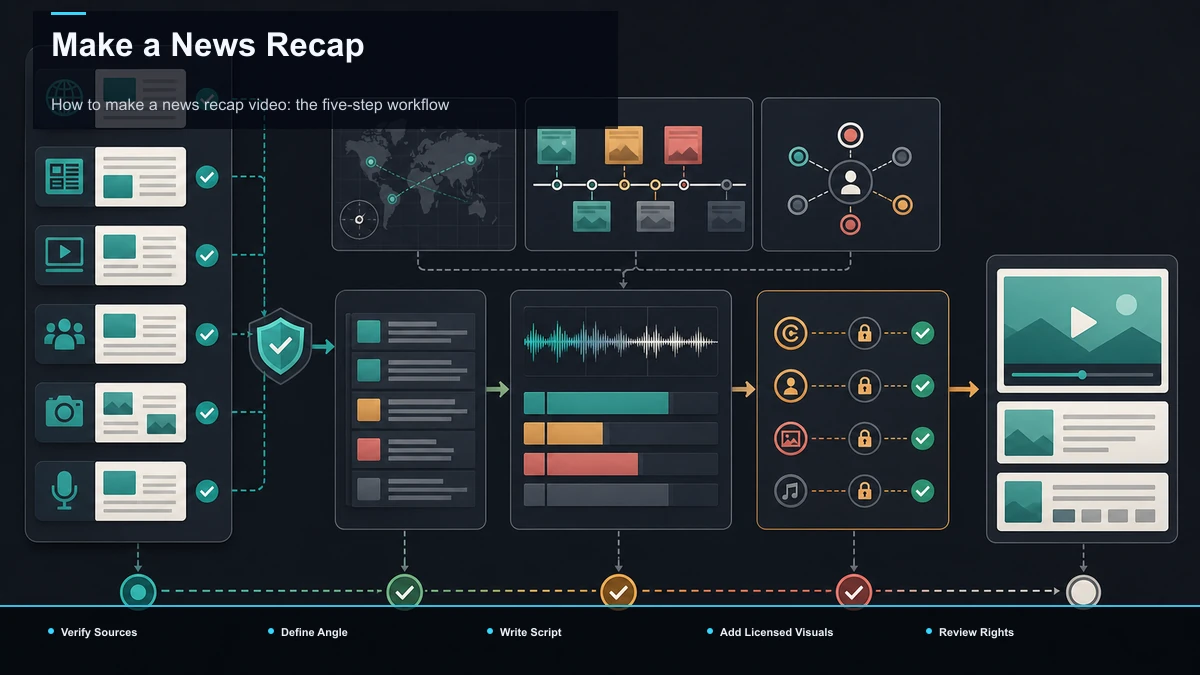
How to make a news recap video: the five-step workflow
Here's the pipeline that turns "make a news recap" into a set of repeatable steps. Each stage feeds the next, and the whole thing is designed to run again tomorrow.
- Aggregate. Collect the day's or week's stories on your beat, rank them. Speed it up: use a fixed source list and a running notes doc.
- Summarize & script. Boil each story to a headline + one line of context + your take. Speed it up: use an AI summarizer to compress long sources fast.
- Narrate. Record voiceover, or generate it, over your visuals. Speed it up: use your own mic, or an AI voiceover.
- Caption. Auto-caption for viewers watching without sound, then proofread. Speed it up: run auto-captions plus a names/numbers pass.
- Reframe & export. Resize to 9:16 (and 16:9), add a cover, and export. Speed it up: use vertical reframing and one export per platform.
The value of writing it as a pipeline is that you stop reinventing your process each episode. Once the five stages are muscle memory, a recap becomes a slot in your week, not a project. The rest of this guide is each stage in detail.
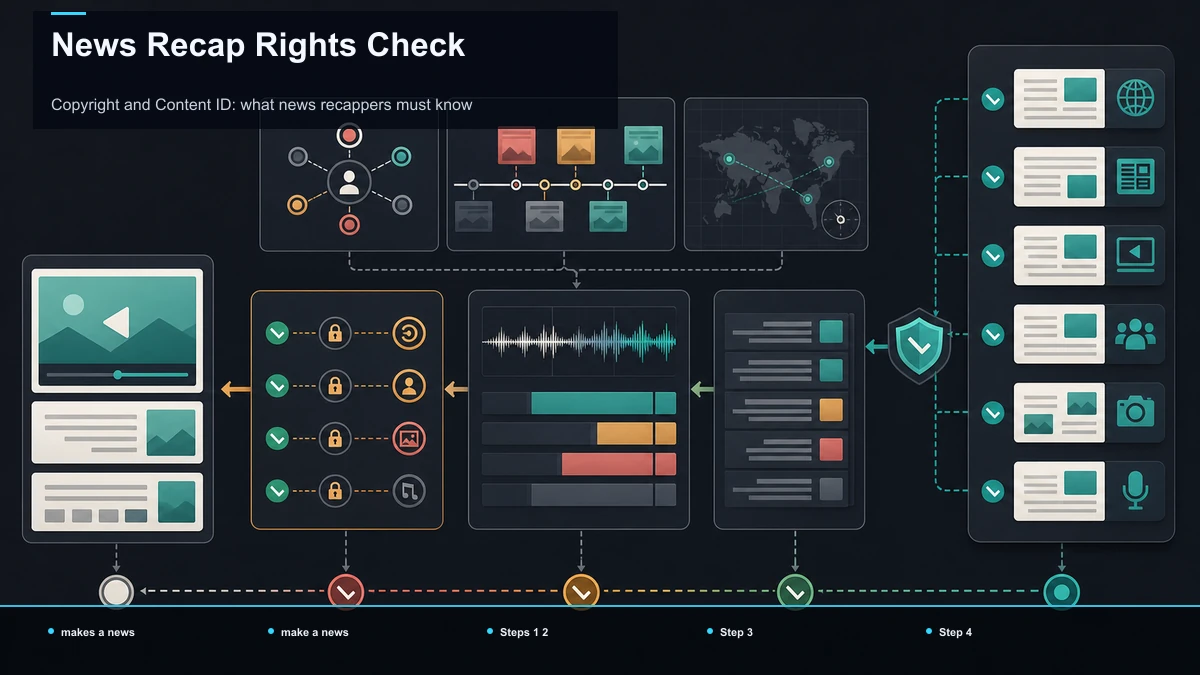
Steps 1–2: Aggregate the stories and write a tight script
Aggregation is a discipline, not a scavenger hunt. Keep a fixed list of primary sources for your beat — official blogs, press rooms, reputable outlets, primary documents — and check them on a set schedule. As stories come in, drop them into one running doc with the link and a one-line note on why it matters. By recording day, you're not hunting; you're editing a list you already built.
Then rank. Not every story makes the cut. Lead with the one your audience most needs to know, and be willing to drop the seventh-best item entirely — a recap that respects the viewer's two minutes beats one that pads to hit a length.
Now the script, which is the real work. A news recap script is not an essay; it's a stack of tight beats. For each story: headline first, one layer of context, then your take. That order matters — the headline earns the next ten seconds, the context makes the headline make sense, and your take is the reason they're watching you and not a wire feed. Cut every clause that doesn't do one of those three jobs.
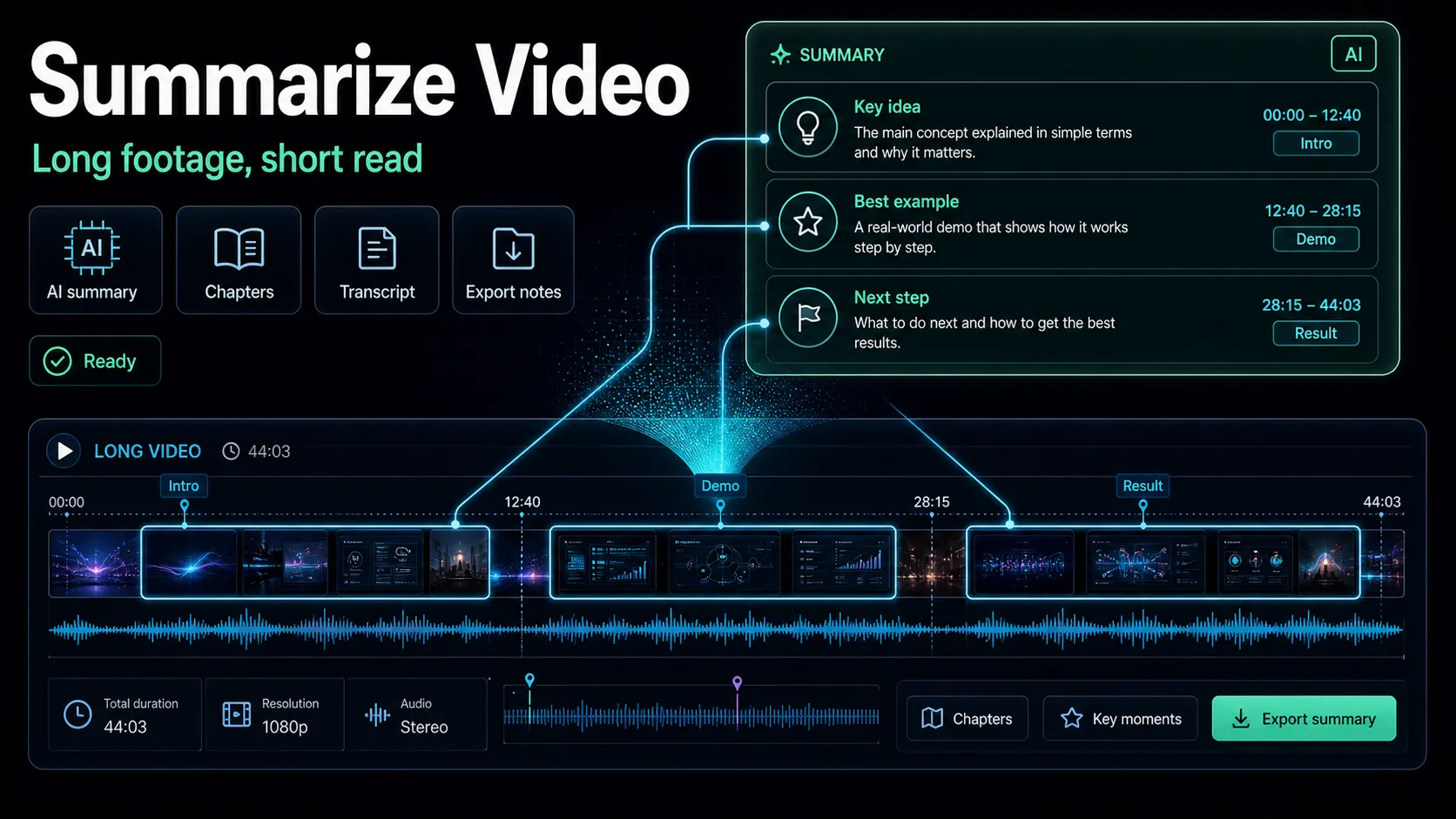
When a story sits on top of a long source — a 40-minute keynote, a lengthy report, a podcast, an hour-long stream — you don't have time to watch it end to end every day. Run the source through a video summarizer to get the gist and the key points, then write your own headline and take from that summary rather than parroting it. The summary is your research shortcut; the script is still yours. For the wider method of compressing long material into something you can narrate, walk through how to evaluate AI video summarizers.
One honest limit: a summarizer speeds up comprehension, it doesn't verify facts. For news, you own the accuracy. Trace anything load-bearing back to the primary source before it goes in the script — a fast recap that's wrong costs you more trust than a slow one ever saved you time.
Step 3: Narrate it — your voice or AI voiceover
Narration is what makes it yours. You have two honest routes, and the right one depends on your channel, not on which is "better."
Record it yourself if your voice and personality are part of the draw — a hot-take tech recap or an opinionated sports rundown leans on delivery, and a real voice carries that. Use AI voiceover when you're running a faceless channel, publishing at a pace a daily record can't sustain, or producing the same recap in more than one language. A voiceover maker turns your finished script into a clean narration track in a pass, which is often the difference between a daily recap being feasible and being a fantasy.
Use this quick self-test to decide, rather than defaulting to either:
- Is my personality or voice a reason people subscribe? Record it yourself.
- Am I publishing daily or in several languages? Lean toward AI voiceover.
- Do I need to re-cut and re-time constantly? Lean toward AI voiceover—edit the text, then regenerate.
- Is trust and a personal on-record take the point? Record it yourself.
A middle path works too: record the segments where your opinion carries the moment, and generate the routine connective narration. Whichever you pick, write for the ear — short sentences, spoken rhythm, one idea per breath. If you want to go deeper on pacing, scripting for voice, and making generated narration sound natural, see how to record and review a YouTube voiceover.
Step 4: Caption and reframe for every platform
Two finishing moves decide whether your recap actually gets watched on the feeds it lands in.
Caption for viewers watching without sound. Some viewers encounter short-form video on mute, so burned-in captions improve accessibility and comprehension — they're what keeps a scrolling viewer reading your headlines instead of swiping past. Run auto-captions to generate the track in one pass, then proofread, because news is dense with the exact things auto-transcription trips on: names, places, companies, acronyms, and numbers. A wrong name on screen in a news recap reads as sloppy in a way it wouldn't elsewhere, so budget a minute to fix those. Style the captions large and high-contrast, and keep them clear of the platform's bottom and side UI.
Reframe per platform. A news recap is worth repurposing into more than one shape. The long horizontal cut lives on YouTube; the vertical cut goes to Shorts, TikTok, and Reels. Reframe to 9:16 so your speaker or key graphic stays centered instead of getting cropped out, keep captions inside the safe zone, and export a version sized for each destination. This is where one recap becomes four uploads — the same reporting, reshaped for where each audience already is.
Recapo runs this whole back half in the browser with no install: transcribe and caption, resize and vertical reframing, cover and export, all in one tab, accepting source files up to 6GB total per task so a full-length keynote or stream doesn't have to be trimmed before you start. The specific tool matters less than the principle: don't bounce a news recap between five apps on a deadline.
Copyright and Content ID: what news recappers must know
This is the section that keeps news channels alive, so let's be precise. First, one flat disclaimer: none of this is legal advice. Fair use, fair dealing, and the rules around quoting news material vary by country and by case, and a Content ID claim is a platform mechanism, not a court ruling. If real money or real risk is on the line, talk to a qualified media attorney — not a checklist on a blog, and not a comment section.
Here's the mechanism you're working within. YouTube's Content ID is an automated system that scans the video and audio of every upload against a database of reference files that rights holders — broadcasters, studios, music labels — have submitted. When it finds a match, even a few seconds, the rights holder's pre-set policy applies automatically: the upload can be blocked, monetized on their behalf (they run ads and take the revenue), or simply tracked. A Content ID claim is not the same as a copyright strike, but it can redirect your ad revenue or restrict your video, and disputes go through the claimant. Lean your recap on lifted broadcast footage and you're not gambling on getting caught — the system checks automatically, every time.
So build around Content ID instead of into it:
On monetization: whether a given recap can be monetized depends on YouTube's Partner Program and reused-content rules, which change and which only YouTube can confirm. Check the platform's official copyright, Content ID, and monetization documentation for the current rules rather than trusting a figure from any tool or blog. Build for accuracy and transformation first; the platform's treatment follows from that, not the other way around.
Build a cadence you can actually sustain
Everything above is only worth it if you can run it again. The failure mode of news channels isn't a bad first episode — it's the sixth one that never ships because each recap felt like starting over. Beat that by treating the pipeline as a calendar, not a mood.
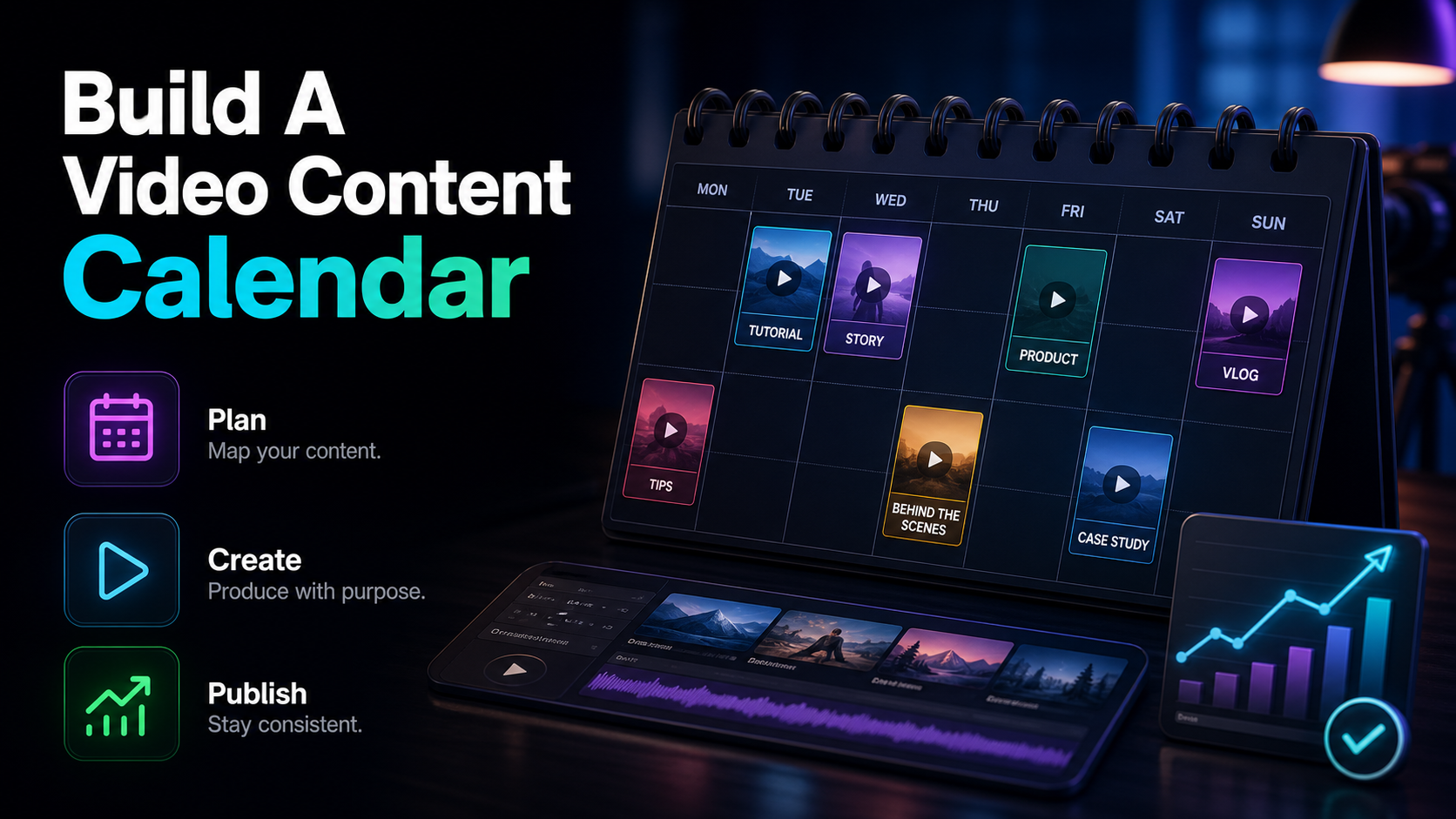
Batch what you can. Set fixed source-check times, draft scripts against your running doc, and reuse a locked template for the intro, the lower-thirds, the outro, and the cover so you're only changing what's actually new each episode. If you run a weekly news recap, block a single production session and produce the whole thing plus its vertical cuts in one sitting. If you're going daily, shrink the format — fewer stories, tighter script, generated voiceover — so the pace is survivable. To turn this into an actual schedule with themes, batch days, and a repeatable slot, work through how to build a video content calendar.
The honest tradeoff to plan around: a daily news recap on YouTube maximizes freshness and feed presence but demands a lean, fast format; a weekly recap gives you room to add depth and better production but has to work harder to stay timely. Pick the cadence you can hit for six months straight, not the one that looks impressive for two weeks — consistency is the entire game.
FAQ
How long should a news recap video be? Match the length to the cadence and platform, not to a fixed number. A daily recap tends to be short and lean — a handful of stories, a tight script — while a weekly recap can run longer because it's covering more ground with more depth. For short-form cuts on Shorts, TikTok, and Reels, keep each one to a single story or angle. The rule that holds everywhere: cut anything that isn't a headline, a needed piece of context, or your take.
Can I use news clips in my recap video without getting copyright claims? Uploading broadcast footage risks an automatic Content ID claim, because YouTube scans every upload's video and audio against rights holders' reference files. The lower-risk path is to build around your own commentary, licensed or original visuals, official press assets where permitted, and your own graphics, rather than reusing broadcast clips. This isn't legal advice — fair use varies by country and case, so check YouTube's official copyright documentation and consult an attorney for anything high-stakes.
Should I use my own voice or an AI voiceover for a news recap? Record your own if your personality and delivery are why people subscribe — opinionated tech or sports recaps lean on that. Use an AI voiceover when you're running a faceless channel, publishing at a daily pace, or producing the recap in more than one language. Many creators mix both: record the take-heavy segments and generate the routine connective narration.
What's the fastest way to script a daily news recap? Keep a running doc of stories with links and a one-line note as they break, so scripting is editing a list instead of starting from a blank page. When a story sits on a long source, run it through a summarizer to get the gist fast, then write your own headline, context, and take from it. Lock a template for your intro, lower-thirds, and outro so you're only writing what's genuinely new each day.
Do I need to edit a separate video for YouTube, Shorts, TikTok, and Reels? Not from scratch. Produce the main horizontal recap once, then reframe it to 9:16 for the vertical feeds, keeping your speaker or key graphic centered and captions inside the safe zone. One recording becomes several uploads — the same reporting, reshaped for where each audience already watches.
Turn today's headlines into a recap you can ship on schedule
Making a news recap video isn't about one perfect edit — it's about a pipeline you can run every cycle: aggregate your beat, summarize the long sources, script tight, narrate it, caption for viewers watching without sound, reframe for every platform, and stay clean on copyright by building around your own commentary and visuals. The channels that last are the ones that made that loop fast enough to repeat. Create a free Recapo account, drop in a long source, and use the summarizer, voiceover maker, auto-captions, and vertical reframing to take one recap from raw stories to publish-ready cuts for YouTube, Shorts, TikTok, and Reels in a single browser session — then run the same loop tomorrow.